How-to
Overdue Invoice Reminders on Make's Free Plan: Our Tested Build (2026)
Some links below are affiliate links. If you buy through them we may earn a commission at no extra cost to you. How we make money.
Tested and priced October 28, 2026. Make prices come from make.com/pricing, and credit rules from Make's help page How features use credits. QuickBooks Online and Xero details come from their own pricing pages and help centers, linked below. Prices change, so check the live pages before you buy.
Chasing late invoices is one of the first jobs small businesses try to automate. We wanted to know whether Make's free plan can do it and what it really costs, so on October 28 we built the workflow in our own Make Free account and ran it.
Short version:
- It works, and it's cheap. Our scenario picked the 3 overdue, unpaid invoices out of 7 and sent one reminder for each. That run cost 5 credits, which is 2 credits per run plus 1 per reminder. All three emails reached our inbox within a second of the run starting.
- The free plan's built-in email can't reach your customers. Make's "Send an Email to a Team Member" module only sends to people in your Make account. To email customers you have to connect Gmail, Microsoft 365 or an SMTP mailbox.
- A daily check fits easily in Free's 1,000 credits a month. Running it every 15 minutes doesn't. That needs Core, at $12 a month billed yearly or $16 month-to-month for 10,000 credits.
- If you already use QuickBooks Online or Xero, turn on their built-in reminders first. Both include automatic overdue reminders, and they stop once the invoice is paid. Make is worth it when your invoices live somewhere else, or when you want something those reminders can't do, like alerting your team or skipping certain customers.
What we built
The scenario has three steps:
- Parse JSON holds our 7 test invoices. Each has a number, customer, amount, due date and status. In a real setup this step would be your accounting app's "Search for Invoices" module (more on that below).
- Iterator splits the list so each invoice goes through on its own.
- A filter, then Email → Send an Email to a Team Member. The filter only lets an invoice through if its status is
unpaidand its due date is earlier than now. Each invoice that passes gets one email.
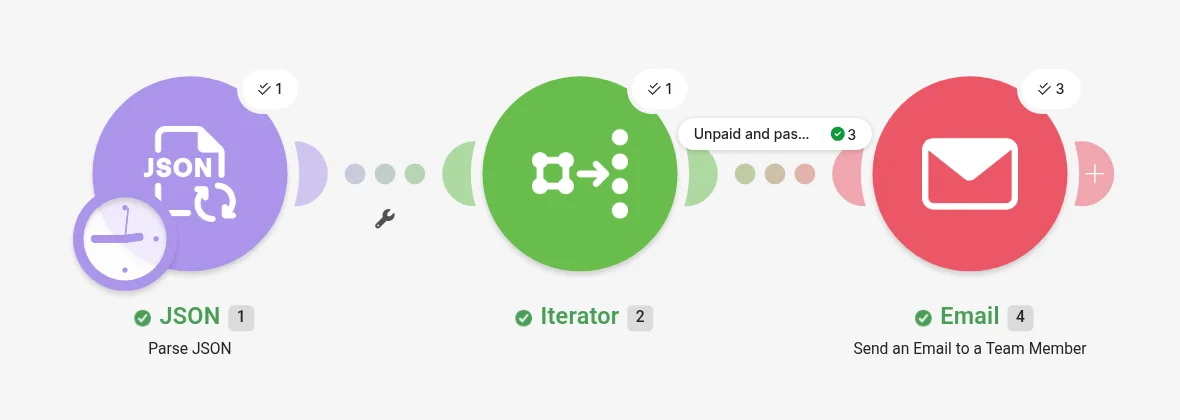
Our 7 test invoices included paid invoices, unpaid invoices that weren't due yet, and three that were unpaid and overdue: INV-3001 (Riverside Dental, $1,250, due October 1), INV-3002 (Harbor Print Co, $480, due October 18) and INV-3004 (Northwind Plumbing, $960, due October 21). The filter passed exactly those three.
Two things that went wrong first
Our first filter passed nothing. The first version used an operator that wasn't valid for the date comparison, so the filter passed 0 of 7 invoices and no reminders went out. After you build one, run it on test data where you know the answer and check how many bundles it passed.
Importing a blueprint got us only part of the way. We built one version by importing a scenario blueprint (Make's JSON export). It loaded, but we rebuilt the final filter and email module by hand in the editor, and that's the version we tested. If you copy someone's blueprint, plan to reconnect and recheck every module.
The run: 5 credits, under a second
We started a manual run at 11:44:58 AM PT. Make's run history shows that time as 2:44:58 PM because our Make organization is set to New York time, which is worth knowing before you schedule anything.

The 5 credits break down as 1 for Parse JSON, 1 for the Iterator and 1 for each of the 3 emails. The filter cost nothing, since Make doesn't charge credits for filters or routers. That gives a simple formula:
credits per run = 2 + number of reminders sent
With a real accounting app the formula stays the same. The "Search for Invoices" step takes the place of Parse JSON, and a search costs 1 credit no matter how many invoices it returns.
All three emails arrived from Make <[email protected]> (times in PT):
| Reminder | Arrived | After run start |
|---|---|---|
| INV-3001, Riverside Dental, $1,250 | 11:44:58 AM | under 1 second |
| INV-3002, Harbor Print Co, $480 | 11:44:59 AM | about 1 second |
| INV-3004, Northwind Plumbing, $960 | 11:44:59 AM | about 1 second |
Each one read: "Hi, invoice INV-3001 for Riverside Dental ($1250) was due on 2026-10-01 and is still unpaid. Please arrange payment." Make adds its logo at the top and a footer saying "This email was sent by your automated workflow made with Make." You can't remove either or change the sender, which is one more reason not to use this module for customer email.
The free plan's limits
Team-member email only goes to your own team. The "To" field in "Send an Email to a Team Member" is a dropdown of people in your Make account. For us that was a single address, and you can't type in a customer's email.
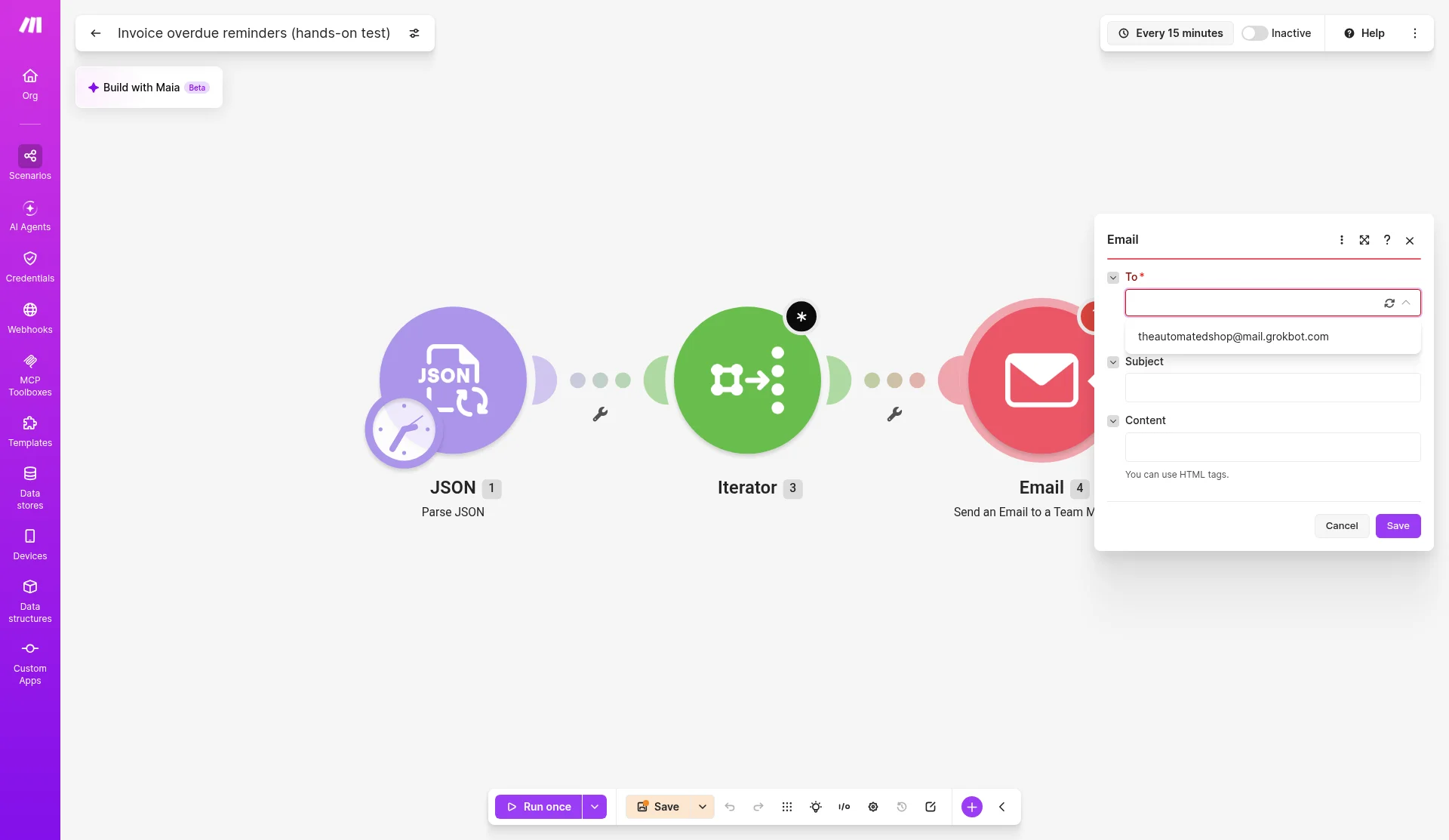
To email customers, use Make's "Send an Email" module with a connected Gmail, Microsoft 365 or SMTP/IMAP account, or the Gmail or Microsoft 365 Email apps. These are standard apps and work on Free. Make suggests connecting a shared or service mailbox (billing@yourcompany, for example) rather than your personal one. Reminders then come from your own address, which customers are more likely to trust and reply to.
Two active scenarios. Free lets you switch on only 2 scenarios at a time. If invoice reminders are one, you have just one left for everything else.
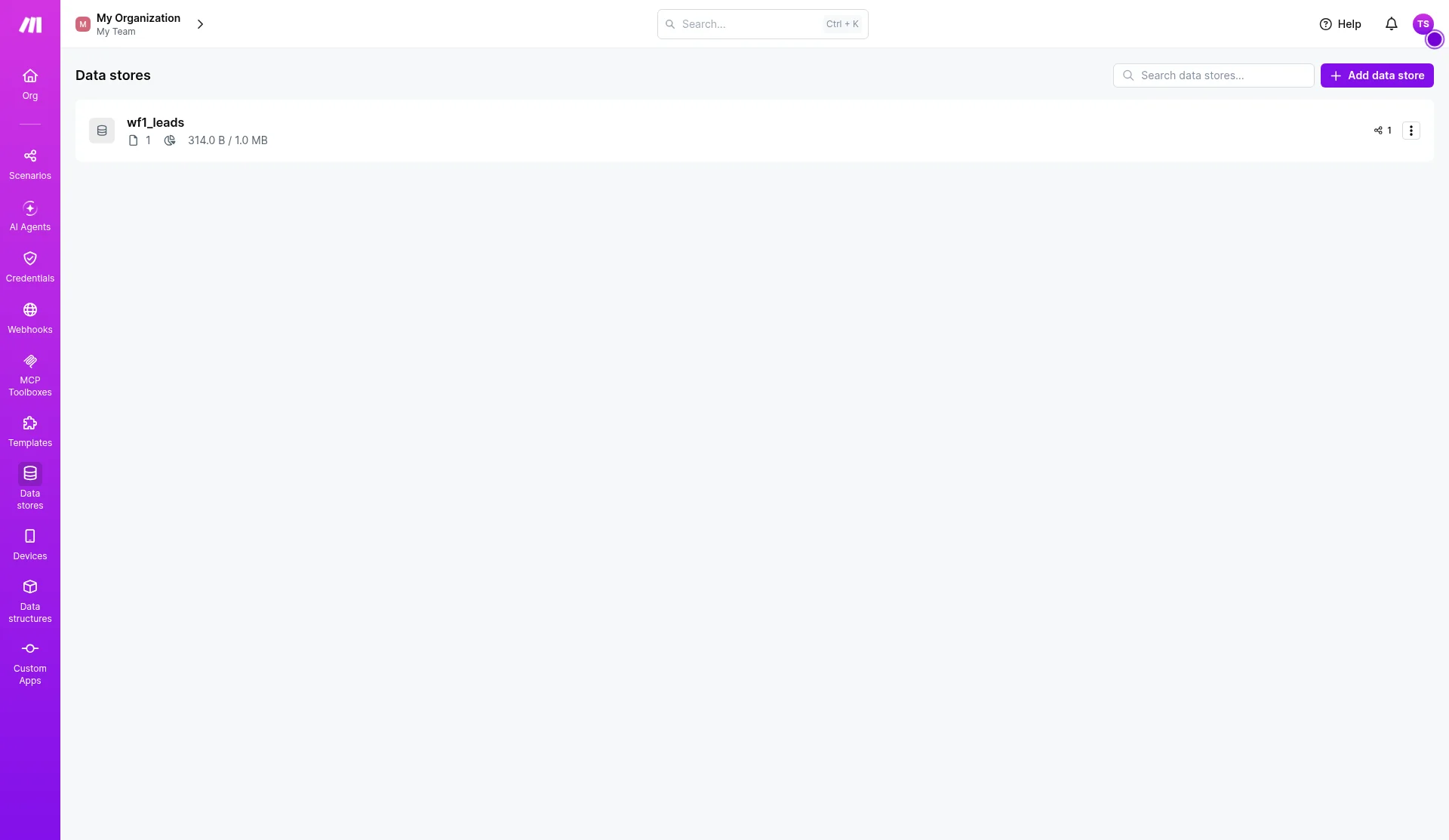
One data store. Free includes 1 data store, and ours was already used by an earlier lead-capture test. That matters if you want to record which invoices you've already reminded so a customer doesn't get the same email every day. Without one, either use your accounting app's own fields (a tag or note on the invoice) or pick a schedule and due-date window that won't repeat, such as weekly reminders.
Other Free limits: scheduled runs can be at most every 15 minutes, each run can last up to 5 minutes, and run logs are kept for 7 days.
What it costs at real volume
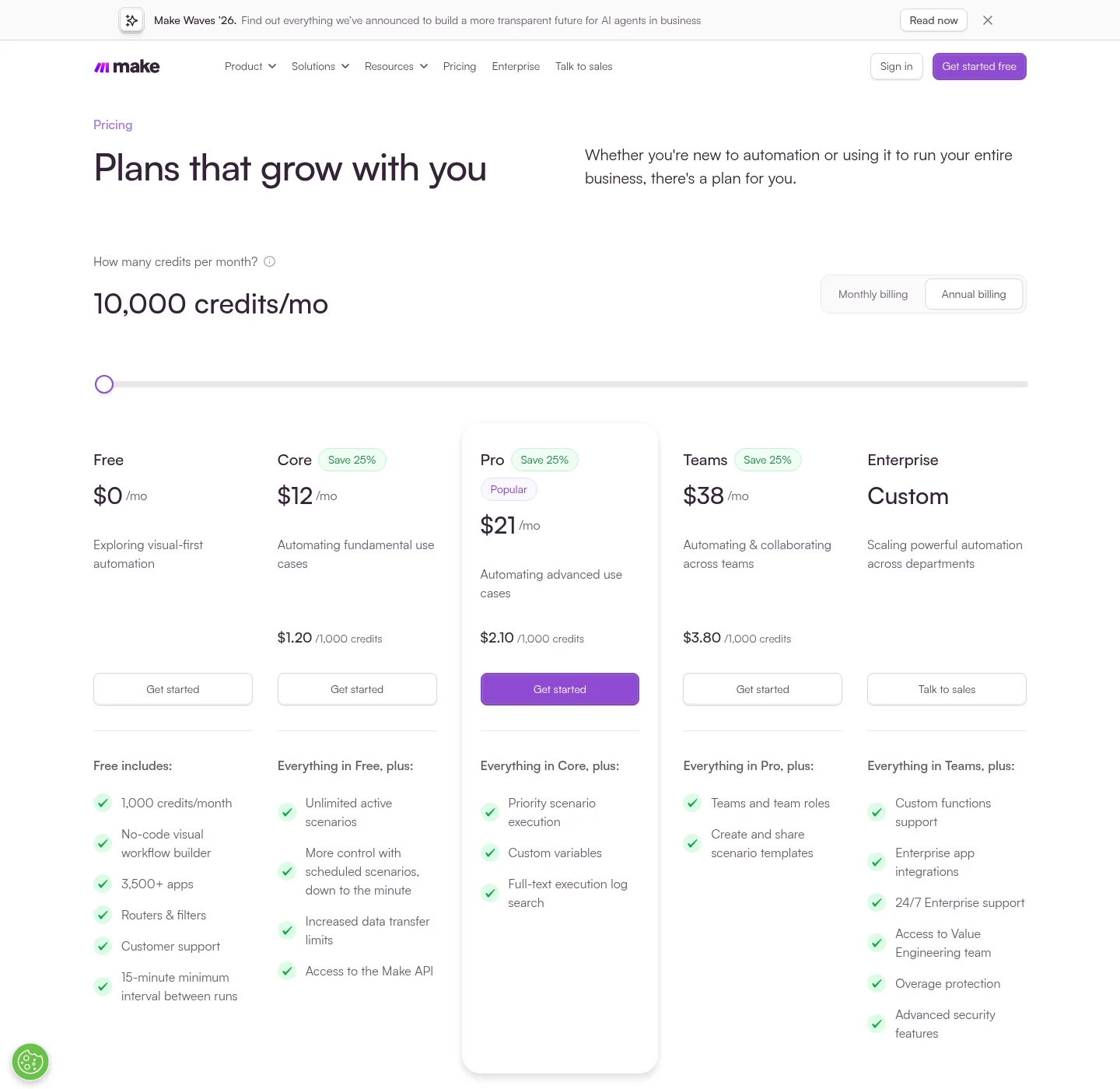
Prices checked October 28, 2026, at 10,000 credits a month:
| Plan | Billed yearly (per month) | Billed monthly |
|---|---|---|
| Free | $0 (1,000 credits) | $0 |
| Core | $12 | $16 |
| Pro | $21 | $28 |
| Teams | $38 | $51 |
Using credits = 2 per run + 1 per reminder, here's what a month looks like:
| How often it runs | Runs a month | Reminders a month | Credits a month | Plan you need |
|---|---|---|---|---|
| Once a day | 30 | 40 | 100 | Free |
| Once a day | 30 | 300 | 360 | Free |
| Every hour | 720 | 300 | 1,740 | Core ($12/mo yearly) |
| Every 15 minutes | 2,880 | 300 | 6,060 | Core ($12/mo yearly) |
Most of the cost is checking, not sending. A daily check is plenty for reminders, and even a business sending a few hundred reminders a month stays on Free. Make prices went up recently, and our Make pricing guide has the details and how credits work in other kinds of scenarios.
QuickBooks Online and Xero already do this
If your invoices are in QuickBooks Online or Xero, try their built-in reminders before building anything.
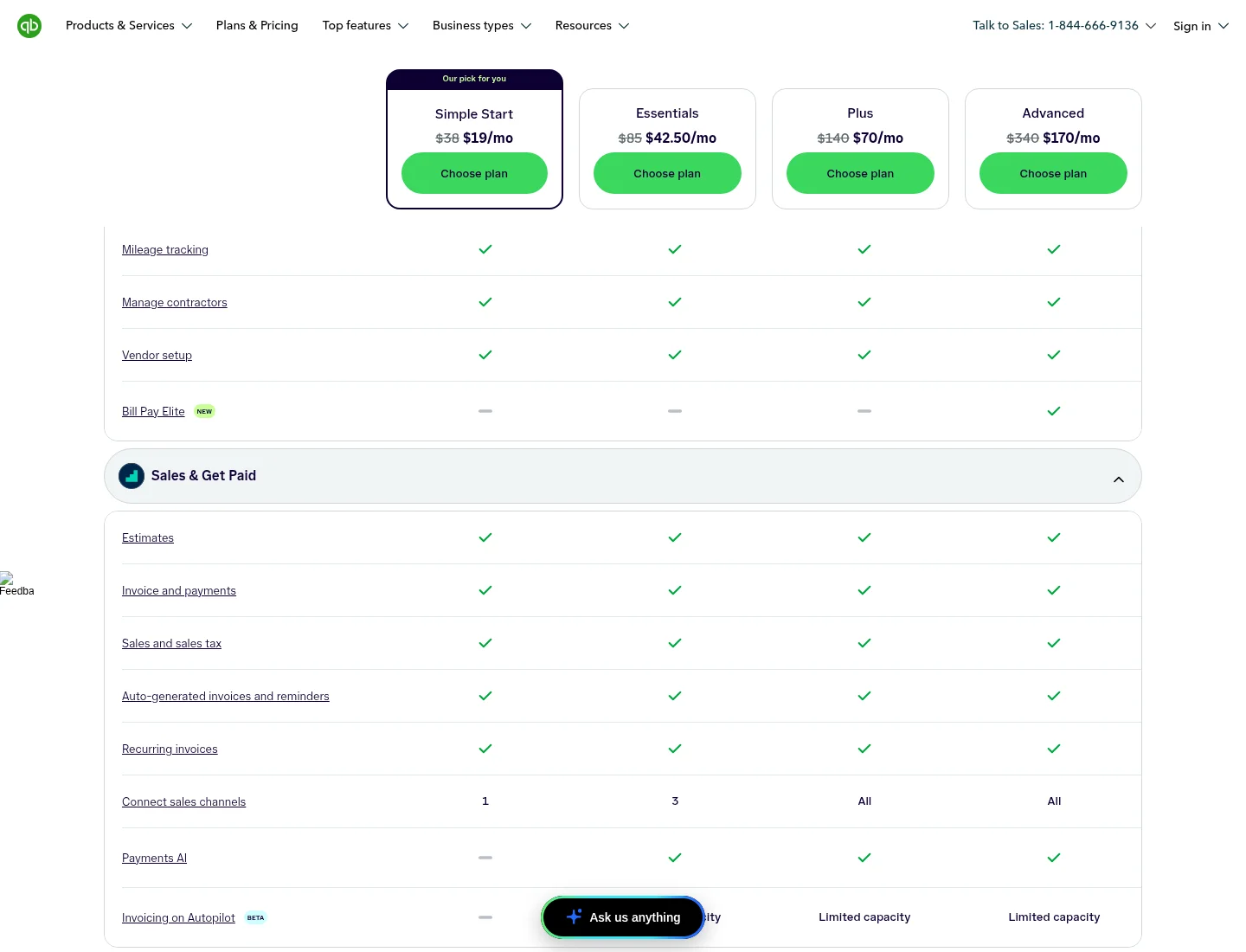
QuickBooks Online. Go to Settings → Account and settings → Sales → Reminders and turn on automatic invoice reminders. You get up to 3 reminders, each set up to 90 days before or after the due date, with your own subject and message and an optional PDF. They only go out for unpaid invoices you've already emailed to the customer. The QuickBooks pricing page lists "Auto-generated invoices and reminders" on every plan. On October 28, prices were $19/$42.50/$70/$170 a month on promotion (Simple Start, Essentials, Plus, Advanced), with list prices of $38/$85/$140/$340. Source: Intuit's reminder help article and QuickBooks pricing.
Xero. Under Sales → Invoices, turn on Invoice Reminders. Xero starts you with three overdue reminders and allows up to five, set by days before or after the due date. They can include the online invoice link and skip small amounts. The customer needs an email address in their contact, and the invoice has to be marked as sent. With bank feeds connected, reminders stop once the payment is matched. US plans on October 28 were Early $27, Growing $59 and Established $97 a month. Early is capped at 20 invoices a month. Xero's US pages don't say outright which plans include reminders, but its help article lists no plan restriction. Source: Xero help: Set up invoice reminders and Xero US pricing.
When Make is worth adding:
- Your invoices live in Stripe, FreshBooks, a spreadsheet or your own system. Make has invoice search modules for QuickBooks, Xero, FreshBooks and Stripe, and Google Sheets works too.
- You want your team to hear about it as well as the customer, such as a Slack message or an email to the account owner when an invoice is 30 days late. That's exactly what the team-member module is good for.
- You want rules the built-in reminders can't handle, such as skipping certain customers, changing the wording for large amounts, or stopping after a phone call is logged in your CRM.
If none of those apply, the reminders in QuickBooks or Xero cost nothing extra and already know when an invoice is paid.
How to build it yourself
- Create a scenario and set the schedule to once a day. Check the time zone in your organization settings first, because ours was New York.
- Add your accounting app's Search for Invoices module (QuickBooks, Xero, FreshBooks or Stripe) and filter for unpaid or open invoices.
- Add an Iterator if the search returns an array instead of separate bundles.
- Add a filter: status is unpaid and due date is earlier than
now(use Make's date operator "Earlier than"). - Add Gmail → Send an email or Email → Send an Email with your billing mailbox connected, and map the customer email, invoice number, amount and due date.
- Test with a customer email field you control first, and check how many bundles your filter passed before you switch it on.
FAQ
Does Make's free plan send emails to customers? Yes, if you connect your own Gmail, Microsoft 365 or SMTP mailbox. The built-in "Send an Email to a Team Member" module can only email people in your Make account.
Do filters cost credits in Make? No. Make's help center lists routers and filters as free. Our filter checked 7 invoices and added nothing to the 5-credit run.
Will customers get the same reminder every day? Yes, if you run it daily with no memory of what was sent. Use a data store (Free allows one), mark invoices in your accounting app, or only send on set days past due, for example when the invoice is 7, 14 or 30 days late.
Does The Automated Shop earn a commission from Make, QuickBooks or Xero? Not at the moment. Links go to the official sites with no referral tag. If that changes we'll say so on the page. See our affiliate disclosure.