Pricing
n8n Self-Hosted vs Cloud (2026): What It Really Costs a Small Business
Some links below are affiliate links. If you buy through them we may earn a commission at no extra cost to you. How we make money.
Prices checked October 22, 2026 from n8n.io/pricing (listed in euros) and DigitalOcean Droplet pricing (US dollars). We converted euros at the European Central Bank's reference rate for that day, €1 = $1.1205, before tax and card fees. Self-hosting guidance comes from n8n's docs: Deploy to Hetzner, Backup and restore, Update n8n, Compare editions and the license FAQ. Prices change; check the live pages before you buy.
n8n is the one big automation tool you can run on your own server for free. The Community Edition has no execution quota, so the question for a small business is simple: is a server you look after cheaper than n8n Cloud Starter at €20 a month?
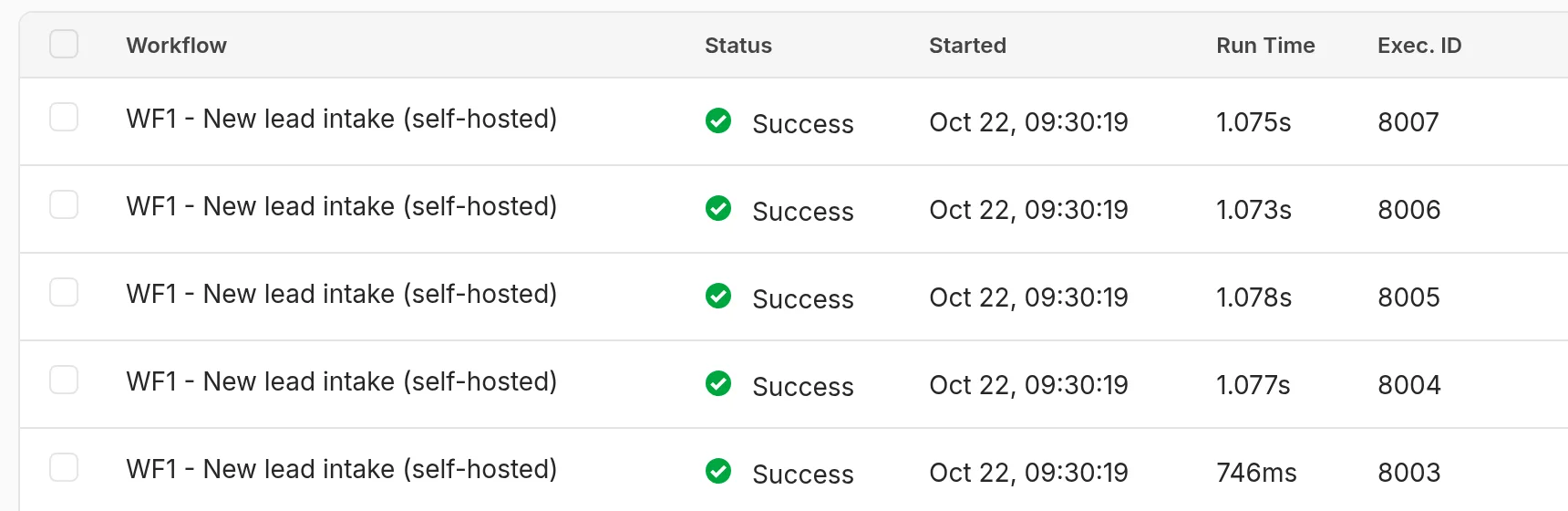
We ran the test instead of guessing. On October 22 we installed n8n 2.44.6, pinned it to one CPU core (the size of a cheap VPS), rebuilt the lead-intake workflow from our n8n Cloud pricing test, and fired 8,007 webhook requests at it. Then we backed it up, restored the backup into a fresh folder, and checked that everything came back.
Short version:
- Our pick for most small businesses: stay on n8n Cloud Starter. At our ~275 runs a month, self-hosting saves about $8 a month in cash ($14.40 vs $22.41). One hour of server work a month wipes that out.
- Self-host when you'd otherwise need Pro. Cloud Pro (10,000 runs) is €50/mo annual, about $56. The same $14.40 server handled our workflow at 17 runs per second on one core. That's where self-hosting starts to pay, if someone on your team already runs servers.
- Get 2 GB of RAM, not 1 GB. n8n idled at 530 MB and peaked at 1.36 GB under a burst. A 512 MB heap limit didn't stop it passing 1.2 GB.
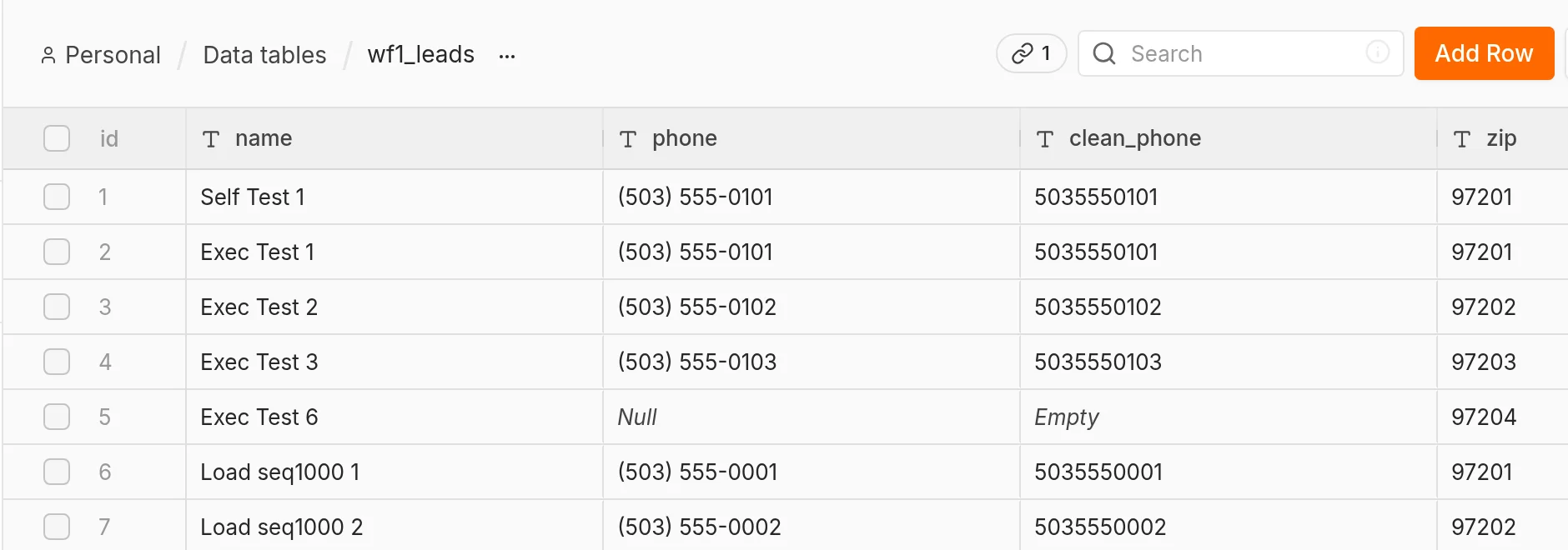
- Nothing failed: 8,007 runs, 8,007 successes, 0 errors, 0 crashes. Every lead the workflow should have stored was in the table.
- Backups are easy but on you. Our 94 MB data folder compressed to 6.5 MB in under a second, and the restored copy started in 5 seconds with all workflows and rows intact. Lose the
configfile and your saved credentials can't be decrypted.
The cost, side by side
For our three workflows (about 275 runs a month, from the Cloud pricing article):
| Self-hosted on DigitalOcean | n8n Cloud Starter | n8n Cloud Pro (10k) | |
|---|---|---|---|
| Server | $12.00 (Basic, 2 GiB, 1 vCPU, 50 GiB SSD) | Included | Included |
| Backups | $2.40 (weekly, 20% of Droplet price) | Included | Included |
| n8n plan | $0 (Community Edition) | €20 = $22.41 (annual) | €50 = $56.03 (annual) |
| Monthly cash cost | $14.40 | $22.41 | $56.03 |
| Runs per month | No limit from n8n | 2,500 | 10,000 |
| Max run time | Your server's settings | 5 minutes | 40 minutes |
| Updates, security, backups | You | n8n | n8n |
Sources: n8n.io/pricing and DigitalOcean Droplet pricing, both checked October 22, 2026. Monthly billing on Cloud is €24 for Starter and €60 for Pro. DigitalOcean daily backups cost 30% of the Droplet price instead of 20%. Droplets bill per second with a monthly cap.
The cash difference against Starter is $8.01 a month, or about $96 a year. n8n's update guide says to "update at least once a month", and someone has to check that backups are actually running. If that takes one hour a month and your time is worth $50 an hour, self-hosting costs you about $42 more each month than Cloud Starter.
Against Pro the sums change. You save about $41.63 a month in cash. That's close to one hour of upkeep at $50, so it pays if someone who already runs servers can do the monthly update in less than that. Against the 50,000-run Pro tier (€1,450 a year, about $135.39 a month) the saving is over $100 a month, even if you move up to the $24 4 GiB Droplet for headroom.
What we measured
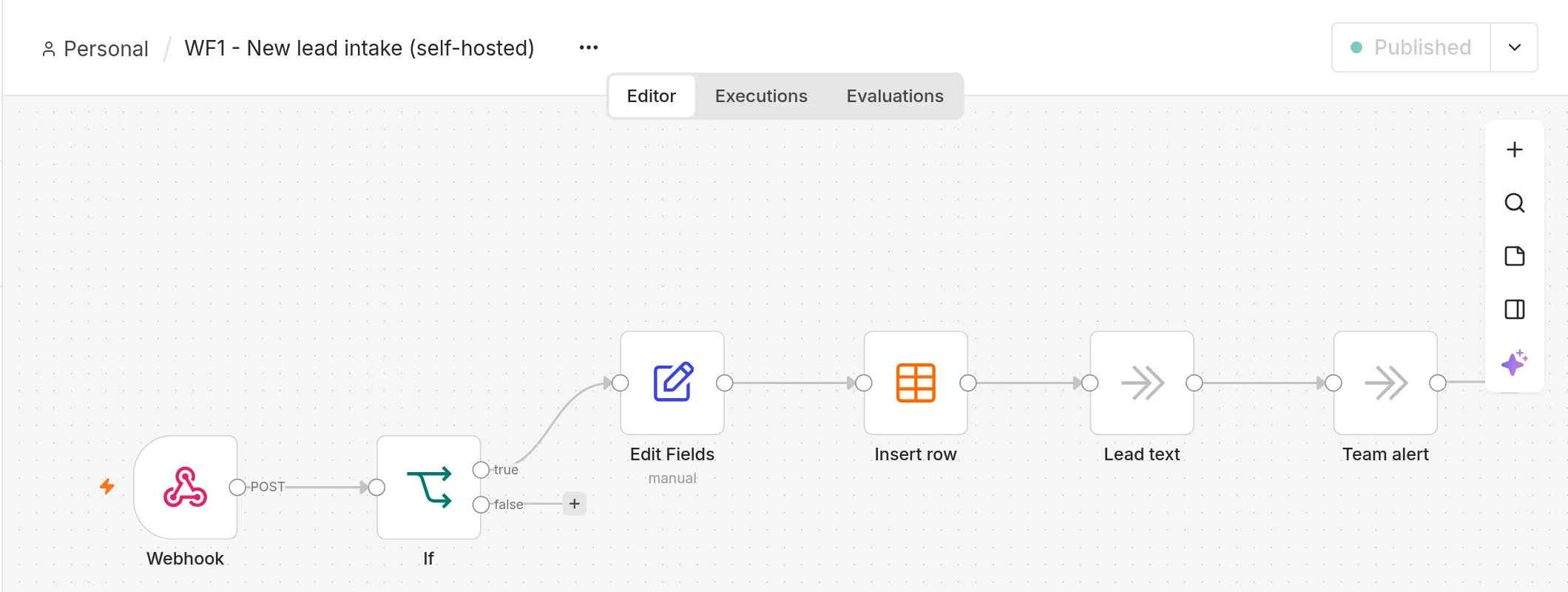
Setup. n8n 2.44.6 on Node.js 24, default SQLite database, pinned to one core of our Linux test machine with taskset so it couldn't use more CPU than a 1-vCPU VPS. The workflow: Webhook → If (ZIP starts with 97) → Edit Fields (clean the phone number, 8 fields) → Insert row into an n8n data table → two stand-in steps for the lead text and team alert. 80% of our test leads were in the service area and 20% weren't.
| Test (one CPU core) | Requests | Time | Throughput | Typical response (p50) | Slowest 5% (p95) | Errors |
|---|---|---|---|---|---|---|
| One lead at a time | 1,000 | 57.8 s | 17.3 / s | 47 ms | 115 ms | 0 |
| Burst, 20 at once | 2,000 | 112.7 s | 17.7 / s | 1,114 ms | 1,228 ms | 0 |
| One at a time, 512 MB heap limit | 1,000 | 62.1 s | 16.1 / s | 50 ms | 126 ms | 0 |
| Burst, 512 MB heap limit (run 1) | 2,000 | 119.9 s | 16.7 / s | 1,178 ms | 1,466 ms | 0 |
| Burst, 512 MB heap limit (run 2) | 2,000 | 116.7 s | 17.1 / s | 1,147 ms | 1,425 ms | 0 |
Plus seven hand-checked requests at the start: 8,007 in total. All got HTTP 200.
What the numbers mean:
- Capacity isn't the issue. One core topped out around 17 runs per second, roughly 1,000 a minute. Our 275-run month takes about 16 seconds of that. n8n's own performance page claims up to 220 executions per second on a single instance with more hardware.
- Bursts queue rather than fail. With 20 leads arriving at once, each waited about a second instead of 50 ms, but every one was stored. The CPU sat at 91–93% of the core during the first two load tests.
- Memory is the real constraint. About a minute after start, n8n used 530 MB (417 MB for the main process plus 113 MB for its JavaScript task runner). During the 20-at-once burst it peaked at 1,358 MB and settled at about 830 MB afterwards. With Node's heap capped at 512 MB it still peaked at 1,243 MB, so the cap doesn't make a 1 GB server safe.
- Startup: 6.4 seconds from launch to ready on one core.
Disk. The SQLite database grew from 6.6 MB to 61.6 MB over 8,007 runs, about 6.9 KB per run for this workflow. n8n also wrote about 36 MB of event logs. By default n8n prunes saved runs older than 14 days or beyond 10,000 (docs), so disk use levels off. SQLite doesn't hand freed space back to the disk unless you set DB_SQLITE_VACUUM_ON_STARTUP or run VACUUM. A 50 GB Droplet disk won't be the bottleneck at small-business volumes.
What our test doesn't cover
- We didn't test on an actual Droplet. We limited n8n to one core of our own machine. A shared-CPU VPS can be slower when its neighbours are busy.
- We installed with npm, not Docker. n8n 2.44.6 warned on every start: "Running n8n outside a container is deprecated. Future versions will require running n8n via the official Docker image." n8n's one-line setup page says the npm route "no longer works from n8n 3.0". Use Docker (n8n's Hetzner guide uses Docker Compose with Caddy for HTTPS). The memory numbers above are for n8n itself; Docker and Caddy add some more on top.
- Our workflow is light. Real workflows that call outside APIs, handle files, or run AI steps will use more memory per run. If you add n8n's AI Assistant, n8n's own guide says to pick at least 4 GB RAM / 2 vCPU.
Backup and restore: we tried it
n8n's backup docs say you need the .n8n folder, which holds the SQLite database and a config file containing the credential encryption key. Without that key, "a restored database or encrypted credential export can't be decrypted," meaning every saved login to Gmail, your CRM, or Stripe would have to be re-entered.
What we did:
- Stopped n8n so the database wasn't mid-write.
tar czf backup-n8n-2026-10-22.tgz .n8n: 94 MB folder → 6.5 MB archive in 0.8 seconds.- Unpacked it into an empty folder and started a second copy of n8n on a different port: ready in 5 seconds.
- Logged in with the same account. The workflow was there and still published, the leads table had all 6,405 rows, and a new test lead sent to the restored copy stored row 6,406 and ran as execution 8,008.
The commands are easy. What goes wrong in practice is that nobody checks whether the backup job is still running, or the backup lives on the same server that just died. DigitalOcean's $2.40 weekly backup covers the whole server. We'd also copy the .n8n archive somewhere else, because a weekly snapshot can lose up to a week of runs and stored leads.
What you give up with the free Community Edition
From n8n's Compare editions page and pricing page, checked October 22:
- Sharing. Only the instance owner and a workflow's creator can open a workflow or credential. No projects, no per-person access. For a one- or two-person shop that's fine. For a team, it's a real limit.
- No SSO, Git version control, environments, custom variables, external secrets, log streaming, or multi-main. Most small businesses won't miss these.
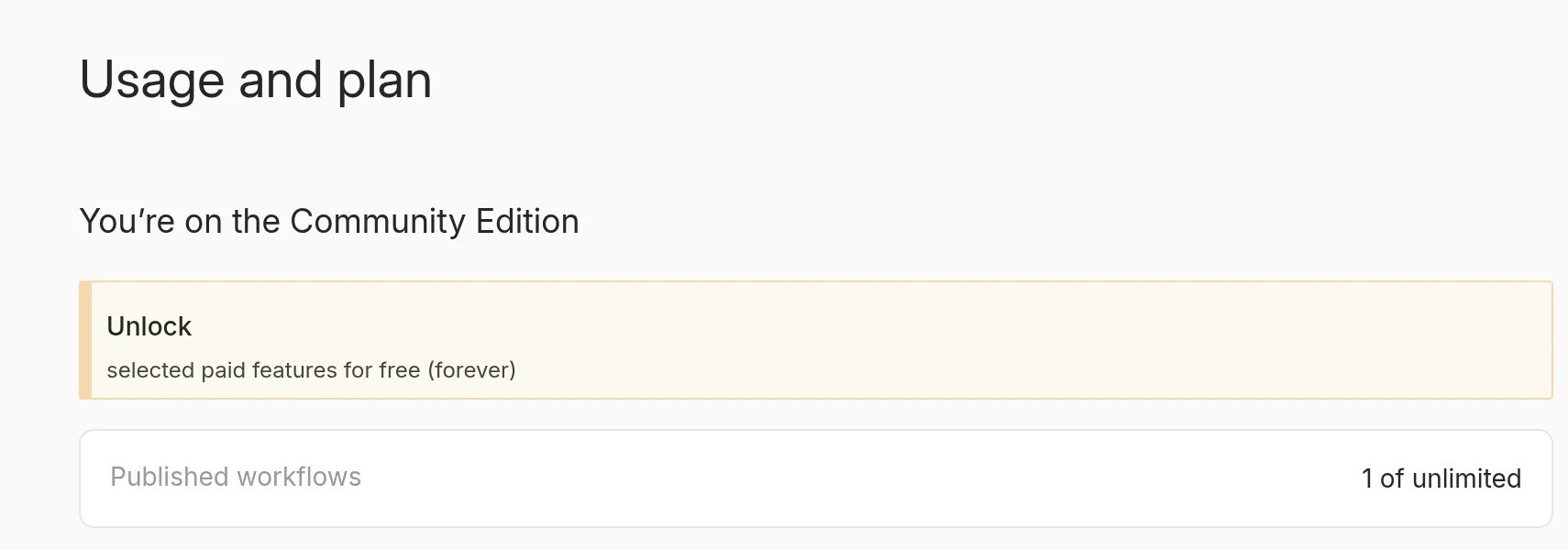
- Free extras if you register. Registering your instance with an email address (the yellow banner in our screenshot) adds folders, debugging past runs in the editor, and custom execution data. Still free.
- What you gain: n8n's pricing page lists running bash scripts and installing custom nodes as "Available in self-hosted". No 5-minute run limit unless you set one.
License check: the Sustainable Use License lets you self-host n8n for your own business and charge clients for consulting. It doesn't let you host n8n as a service where your clients build their own workflows. Running automations for your own shop is fine.
Setup gotcha we hit
With npm 11, npm install n8n finished without errors, but n8n then failed to start: npm 11 now skips packages' install scripts by default, so the SQLite driver was never built. We fixed it with npm install-scripts approve sqlite3 isolated-vm msgpackr-extract followed by npm rebuild. The install took 85 seconds and pulled in 2,343 packages (3.0 GB). The Docker image avoids this, which is one more reason to use it.
Which one fits your business
- Under ~2,000 runs a month and nobody enjoys server admin: n8n Cloud Starter (€20/mo annual). Saving $8 a month isn't worth being the person who gets paged.
- Between 2,500 and 10,000 runs a month, and someone on the team already runs a server or a WordPress VPS: self-host on a 2 GB server with Docker. You save about $40 a month against Cloud Pro.
- Tens of thousands of runs, long-running jobs, custom nodes, or bash scripts: self-host, on a 4 GB / 2 vCPU server if you add n8n's AI Assistant. Cloud's 50k tier is about $135 a month.
- A team of five who all build workflows: Cloud. Community Edition's sharing limits will get in the way before cost does.
- Short, simple automations: look at Make Core (from $9 a month billed annually when we checked on October 16) before either. Our three-tool comparison has the details.
Our pick: a typical 2–10 person service business should start on n8n Cloud Starter and only move to self-hosting when its run count would push it onto Pro. When that happens, a $12 2 GB server with weekly backups is enough for the workloads we tested. Budget an hour a month for updates and checking the backups, and store a copy of the .n8n folder somewhere other than that server.
FAQ
Is self-hosted n8n really free? The software is. You pay for the server ($14.40 a month in our example with backups) and your time. There's no execution limit from n8n.
Will a $6, 1 GB server work? We wouldn't use one. n8n alone used 530 MB at idle and over 1.2 GB during a burst in our test, before counting the operating system, Docker, and a web server.
How many runs can a small server handle? Our light lead-intake workflow ran about 17 times per second on one CPU core, roughly 1,000 a minute. Heavier workflows will be slower, but CPU won't limit a typical small business.
Do I need to know Linux? Enough to install Docker, point a domain at the server, read logs, and update n8n every month. n8n's own Hetzner guide says self-hosting is "recommended for expert users" and that mistakes "can lead to data loss, security issues, and downtime."
Can I move from Cloud to self-hosted later? Yes. You can download workflows as JSON and import them into your own instance. Saved credentials don't come across with them, so plan time to reconnect each app.
Does The Automated Shop earn a commission if I use n8n or DigitalOcean? Not at the moment. Links on this page go to the official sites with no referral tag. If that changes we'll say so on the page. See our affiliate disclosure.